

AfterShip Courier Tracking: Complete Guide to Multi-Carrier Shipment Tracking in India

AfterShip is a comprehensive shipment tracking platform that consolidates tracking information from over 1,100 courier services worldwide into a single interface. For Indian customers and businesses, AfterShip simplifies the complex task of monitoring packages across multiple carriers, providing real-time updates and delivery notifications through one unified dashboard.
What is AfterShip?
AfterShip is a cloud-based tracking solution founded in 2012 that transforms how businesses and consumers track shipments. Unlike individual courier websites that only track their own shipments, AfterShip aggregates tracking data from multiple carriers including Blue Dart, DTDC, Delhivery, FedEx, DHL, India Post, and hundreds of regional and international courier services.
The platform serves two primary audiences: e-commerce businesses requiring automated tracking for customer orders, and individual consumers who want to monitor personal shipments without visiting multiple courier websites.
How AfterShip Tracking Works
AfterShip operates by connecting to courier APIs and regularly polling tracking information from carrier systems. When you add a tracking number to AfterShip, the platform automatically identifies the courier service and retrieves the latest shipment status.
You might be interested in AEPL Courier Tracking
Automatic Courier Detection
AfterShip’s intelligent system analyzes tracking number formats to automatically identify the courier service. This eliminates the need to manually select carriers when tracking shipments. The platform recognizes tracking number patterns from major Indian carriers and international services.
Multi-Source Data Aggregation
The system pulls tracking data from multiple sources including official courier APIs, carrier websites, and partner integrations. This redundancy ensures tracking information remains accessible even when individual courier websites experience downtime.
Real-Time Status Updates
AfterShip checks for tracking updates at regular intervals, typically every few hours for active shipments. When status changes occur, the platform updates its records and triggers notifications to users based on their preferences.
AfterShip Features for Indian Users
AfterShip offers specialized features tailored for the Indian e-commerce and logistics ecosystem.
Supported Indian Courier Services
AfterShip tracks shipments from all major Indian courier companies:
| Courier Category | Examples |
|---|---|
| Express Services | Blue Dart, FedEx India, DHL India, DTDC Express |
| E-commerce Logistics | Delhivery, Ecom Express, Xpressbees, Shadowfax |
| Regional Carriers | AEPL, Gati, Professional Couriers, Trackon |
| Postal Services | India Post, Speed Post |
| International | DHL Express, FedEx International, UPS, Aramex |
Branded Tracking Pages
Businesses using AfterShip can create customized tracking pages matching their brand identity. These pages display company logos, colors, and messaging while providing tracking information, reducing customer anxiety about shipment status.
Proactive Notifications
AfterShip sends automated notifications via email, SMS, or push notifications at critical shipment milestones:
- Package picked up from sender
- In transit to destination city
- Out for delivery
- Delivery attempted
- Successfully delivered
- Delivery exceptions or delays
Analytics and Insights
The platform provides delivery performance analytics including:
- Average delivery times by carrier and route
- On-time delivery percentage
- Exception rates and common failure reasons
- Carrier performance comparisons
- Geographic delivery patterns
How to Track Shipments on AfterShip
Tracking packages through AfterShip is straightforward for both individual users and businesses.
Individual Tracking
Web-Based Tracking
Visit the AfterShip website and enter your tracking number in the search field. The platform automatically detects the courier and displays current status, transit history, and estimated delivery date. No account registration is required for basic tracking.
Mobile App Tracking
Download the AfterShip mobile application from Google Play Store or Apple App Store. The app allows you to save multiple tracking numbers, receive push notifications, and access tracking history offline. The mobile interface provides a streamlined experience optimized for smartphones.
Email Tracking
Some AfterShip integrations allow tracking by forwarding shipping confirmation emails to a dedicated address. The system extracts tracking numbers and courier information automatically, adding shipments to your tracking dashboard.
Business Integration
E-commerce Platform Integration
AfterShip integrates with major e-commerce platforms including Shopify, WooCommerce, Magento, BigCommerce, and Indian platforms like Shiprocket. Once integrated, orders automatically sync with AfterShip, enabling automatic tracking and customer notifications.
API Integration
Businesses can integrate AfterShip directly into their systems using RESTful APIs. The API allows automated tracking number submission, status retrieval, webhook notifications for status changes, and custom notification workflows.
Shipping Software Integration
AfterShip connects with shipping management platforms like ShipStation, Shippo, and Easyship. These integrations enable seamless tracking for shipments booked through third-party shipping software.
AfterShip Pricing and Plans
AfterShip operates on a freemium model with both free and paid subscription tiers.
| Plan Type | Monthly Tracking Quota | Key Features | Best For |
|---|---|---|---|
| Free | 50 shipments | Basic tracking, email notifications | Individual consumers, small sellers |
| Essentials | 100-500 shipments | Branded tracking page, SMS notifications | Growing businesses |
| Professional | 1,000+ shipments | Advanced analytics, API access, priority support | Established e-commerce stores |
| Enterprise | Unlimited | Custom integrations, dedicated support, SLA | Large retailers, marketplaces |
Indian businesses benefit from localized pricing and support for Indian payment methods. The free tier sufficiently covers needs for individual consumers tracking personal purchases.
Understanding AfterShip Tracking Statuses
AfterShip standardizes tracking statuses across different courier services, translating carrier-specific terminology into consistent categories.
Standard Status Categories
InfoReceived: Shipping label created but package not yet picked up by courier. This initial stage indicates the seller has prepared the shipment.
InTransit: Package is moving through the courier network toward destination. This status encompasses multiple internal movements between hubs and sorting centers.
OutForDelivery: Package loaded on delivery vehicle for final delivery attempt. Delivery typically occurs within the same day once this status appears.
AttemptFail: Delivery attempted but recipient unavailable. Tracking shows reason for failure such as “address incomplete,” “recipient not home,” or “business closed.”
Delivered: Package successfully handed to recipient or designated representative. Includes delivery timestamp and sometimes recipient signature name.
Exception: Problem encountered during transit such as weather delays, customs holds, damaged packaging, or incorrect address. Requires investigation or corrective action.
Expired: Tracking information outdated or shipment exceeded maximum transit time. May indicate lost package requiring carrier investigation.
Pending: Shipment status unclear or awaiting update from courier. Usually temporary condition resolving within 24 hours.
Benefits of Using AfterShip for Indian E-commerce
Indian e-commerce businesses face unique challenges including diverse courier networks, varying delivery reliability, and high customer expectations for transparency. AfterShip addresses these challenges effectively.
Reduced Customer Service Inquiries
Proactive tracking notifications decrease “Where is my order?” inquiries by up to 70%. Customers receive automatic updates eliminating the need to contact support for shipment status.
Improved Customer Experience
Branded tracking pages maintain customer engagement within your brand ecosystem. Professional tracking experiences increase customer confidence and satisfaction, driving repeat purchases.
Carrier Performance Monitoring
Multi-carrier analytics reveal which courier services perform best for specific routes. Businesses can optimize carrier selection based on actual delivery performance rather than pricing alone.
Returns Management
AfterShip tracks reverse logistics shipments, providing visibility into product returns. Understanding return patterns helps identify product issues and streamline refund processes.
Delivery Issue Resolution
Early identification of delivery exceptions enables proactive problem-solving. Businesses can intervene before failed deliveries escalate into customer complaints or refund requests.
AfterShip vs Direct Courier Tracking
Comparing AfterShip with traditional courier website tracking reveals distinct advantages and considerations.
| Aspect | AfterShip | Direct Courier Tracking |
|---|---|---|
| Multiple Carriers | Single dashboard for all carriers | Separate visit to each website |
| Automation | Automated updates and notifications | Manual checking required |
| Standardization | Consistent status terminology | Carrier-specific language |
| Historical Data | Saved tracking history | No long-term storage |
| Analytics | Performance insights across carriers | No comparative analysis |
| Branding | Customizable for businesses | Generic courier branding |
| Cost | Free to paid tiers | Always free |
| Accuracy | Dependent on courier API reliability | Direct from source |
For individual shipments, direct courier tracking may suffice. For businesses managing multiple daily shipments across various carriers, AfterShip’s consolidation and automation provide substantial efficiency gains.
Common AfterShip Tracking Issues
Despite robust functionality, users occasionally encounter tracking challenges.
Tracking Number Not Recognized
AfterShip may fail to identify the courier if tracking numbers use non-standard formats or belong to smaller regional carriers not in the database. Manually select the courier from the dropdown menu when automatic detection fails.
Delayed Status Updates
Tracking information accuracy depends on courier API update frequency. Some carriers update systems every few hours while others provide real-time data. Delays of 6-12 hours between actual events and AfterShip updates are normal.
Missing Courier Support
AfterShip covers 1,100+ carriers but some hyperlocal or new courier services may lack integration. Request carrier addition through AfterShip support if your preferred service is unavailable.
Incorrect Courier Detection
Tracking numbers with similar formats across different carriers may cause misidentification. If tracking shows no results or incorrect information, manually specify the correct courier service.
API Limitations
Some courier companies restrict third-party API access or rate-limit requests. This occasionally causes temporary tracking unavailability, resolved when API access restores.
Setting Up AfterShip for Your Business
Indian e-commerce businesses can implement AfterShip quickly through straightforward setup processes.
Step 1: Account Creation
Register for an AfterShip account using your business email. Select an appropriate plan based on monthly shipment volume. Free trials are available for paid tiers.
Step 2: Platform Integration
Connect your e-commerce platform through AfterShip’s integration marketplace. For Shopify, WooCommerce, or similar platforms, installation takes 5-10 minutes through plugin installation and API key configuration.
Step 3: Courier Configuration
Add courier accounts you regularly use for shipping. Configure preferences for each carrier including notification triggers and branding elements.
Step 4: Notification Customization
Design email and SMS notification templates matching your brand voice. Set trigger points for when customers receive updates and customize messaging for different scenarios.
Step 5: Tracking Page Branding
Customize your branded tracking page with logo, colors, and additional content like product recommendations or promotional messages. This page becomes your customer-facing tracking interface.
Step 6: Testing and Launch
Process test shipments to verify tracking updates flow correctly and notifications trigger appropriately. Adjust settings based on test results before full launch.
Advanced AfterShip Features
Beyond basic tracking, AfterShip offers sophisticated capabilities for enterprise users.
Webhook Notifications
Webhooks push real-time status updates to your systems the moment changes occur. This enables instant inventory updates, automated customer communications, and trigger-based workflows without constant API polling.
Estimated Delivery Date
AfterShip calculates estimated delivery dates using historical carrier performance data, providing more accurate expectations than carrier-provided estimates. This predictive capability helps set realistic customer expectations.
Delivery Guarantee Management
For shipments with delivery guarantees or expedited service, AfterShip monitors whether packages arrive within promised timeframes. This data supports refund claims for failed delivery promises.
Multi-Language Support
Tracking pages and notifications support multiple languages including Hindi, allowing businesses to communicate with customers in their preferred language.
Carbon Emission Tracking
Some AfterShip plans include carbon footprint calculation for shipments, helping environmentally conscious businesses understand and communicate their delivery environmental impact.
AfterShip Mobile Application Features
The AfterShip mobile app provides convenient tracking management for consumers and business users.
Universal Tracking: Add tracking numbers from any supported courier and monitor all shipments in one location. The app automatically refreshes statuses in the background.
Push Notifications: Receive instant alerts when shipment status changes, eliminating the need to manually check tracking. Customize notification preferences by shipment priority.
Barcode Scanning: Scan shipping label barcodes directly with your phone camera to add tracking numbers instantly without manual typing.
Delivery Map: View delivery vehicle location on a map when carriers provide GPS tracking data, offering approximate delivery timing.
Share Tracking: Send tracking information to family members or recipients through messaging apps or email directly from the app.
Data Security and Privacy
AfterShip handles sensitive shipment data requiring robust security measures.
Data Encryption: All data transmission between users and AfterShip servers uses SSL/TLS encryption. Stored data receives encryption at rest protecting against unauthorized access.
Privacy Compliance: AfterShip complies with international data protection regulations including GDPR. Indian users benefit from data residency options and privacy controls.
Access Controls: Business accounts implement role-based access controls, limiting tracking data visibility to authorized personnel only.
Data Retention: AfterShip retains tracking data based on subscription tier, with options for extended storage on enterprise plans. Users can delete tracking information manually.
Integration with Indian Payment and Shipping Solutions
AfterShip’s ecosystem integration extends to India-specific platforms.
Payment Gateway Integration: Connect with Razorpay, PayU, and Instamojo to trigger tracking for cash-on-delivery orders and link payment status with delivery confirmation.
Shiprocket Integration: Seamlessly track shipments booked through Shiprocket, India’s popular multi-carrier shipping platform, consolidating all shipping activity.
Dunzo and Swiggy Integration: For hyperlocal deliveries, AfterShip tracks same-day delivery services popular in Indian metros.
Marketplace Integration: Track orders from Amazon India, Flipkart, and Myntra seller accounts, providing unified visibility across sales channels.
Best Practices for AfterShip Users
Maximize AfterShip’s value through these recommended practices.
Consistent Tracking Number Entry: Add tracking numbers to AfterShip immediately after generating shipping labels. This ensures complete visibility from shipment origin.
Configure Appropriate Notifications: Balance keeping customers informed with avoiding notification fatigue. Essential updates include out for delivery and delivered statuses at minimum.
Monitor Analytics Regularly: Review weekly delivery performance metrics to identify problematic carriers or routes requiring attention or carrier changes.
Maintain Accurate Courier Information: When booking shipments, ensure tracking numbers match the correct courier service to prevent tracking errors.
Use Tags and Notes: Organize shipments with tags for order types, priority levels, or customer segments, enabling filtered tracking views and targeted analysis.
Enable Return Tracking: Configure return shipment tracking with different notification templates, ensuring visibility into reverse logistics performance.
AfterShip Customer Support
AfterShip provides multiple support channels for troubleshooting and assistance.
Help Center: Comprehensive documentation covering setup, integration, troubleshooting, and best practices accessible 24/7.
Email Support: Submit support tickets for technical issues, integration problems, or account questions. Response times vary by subscription tier.
Live Chat: Real-time support during business hours for immediate assistance with urgent tracking issues or technical problems.
API Documentation: Detailed developer documentation for businesses implementing custom integrations, including code examples and API references.
Community Forum: User community where businesses share experiences, integration tips, and solutions to common challenges.
Frequently Asked Questions (FAQs)
1. Does AfterShip work with all Indian courier services?
AfterShip supports all major Indian courier services including Blue Dart, DTDC, Delhivery, Ecom Express, Xpressbees, India Post, and over 100 regional carriers. The platform covers approximately 95% of Indian courier volume. If a specific regional carrier is missing, you can request addition through AfterShip support, though integration depends on carrier API availability.
2. Is AfterShip free to use for personal tracking?
Yes, AfterShip offers a free plan allowing up to 50 shipment trackings per month, suitable for individual consumers tracking personal purchases. The free tier includes basic tracking functionality and email notifications. Premium features like SMS notifications, advanced analytics, and branded tracking pages require paid subscriptions designed for businesses.
3. How accurate is AfterShip tracking compared to checking directly on courier websites?
AfterShip accuracy depends on courier API update frequency and reliability. For most major carriers, AfterShip displays the same information as official websites with minimal delay (typically 15-30 minutes). However, some smaller carriers with less frequent system updates may show delays. AfterShip cannot improve accuracy beyond what courier systems provide but offers the convenience of unified tracking.
4. Can AfterShip send tracking updates in Hindi or other Indian languages?
Yes, AfterShip supports multi-language notifications including Hindi. Businesses can configure tracking pages and notification templates in multiple languages, automatically displaying content based on customer preferences or browser settings. This feature is particularly valuable for Indian e-commerce businesses serving diverse linguistic regions.
5. What happens if a courier company’s website is down? Will AfterShip still track my shipment?
AfterShip maintains cached tracking data from previous successful updates, so you can view last-known status even during courier website downtime. However, new status updates require functional courier APIs. AfterShip typically implements retry logic to fetch updates once courier systems restore. For critical shipments during extended outages, contact the courier directly via phone support for manual status updates.

The platform serves two primary audiences: e-commerce businesses requiring automated tracking for customer orders, and individual consumers who want to monitor personal shipments without visiting multiple courier websites.
How AfterShip Tracking Works
AfterShip operates by connecting to courier APIs and regularly polling tracking information from carrier systems. When you add a tracking number to AfterShip, the platform automatically identifies the courier service and retrieves the latest shipment status.
Automatic Courier Detection
AfterShip’s intelligent system analyzes tracking number formats to automatically identify the courier service. This eliminates the need to manually select carriers when tracking shipments. The platform recognizes tracking number patterns from major Indian carriers and international services.
Multi-Source Data Aggregation
The system pulls tracking data from multiple sources including official courier APIs, carrier websites, and partner integrations. This redundancy ensures tracking information remains accessible even when individual courier websites experience downtime.
Real-Time Status Updates
AfterShip checks for tracking updates at regular intervals, typically every few hours for active shipments. When status changes occur, the platform updates its records and triggers notifications to users based on their preferences.
AfterShip Features for Indian Users
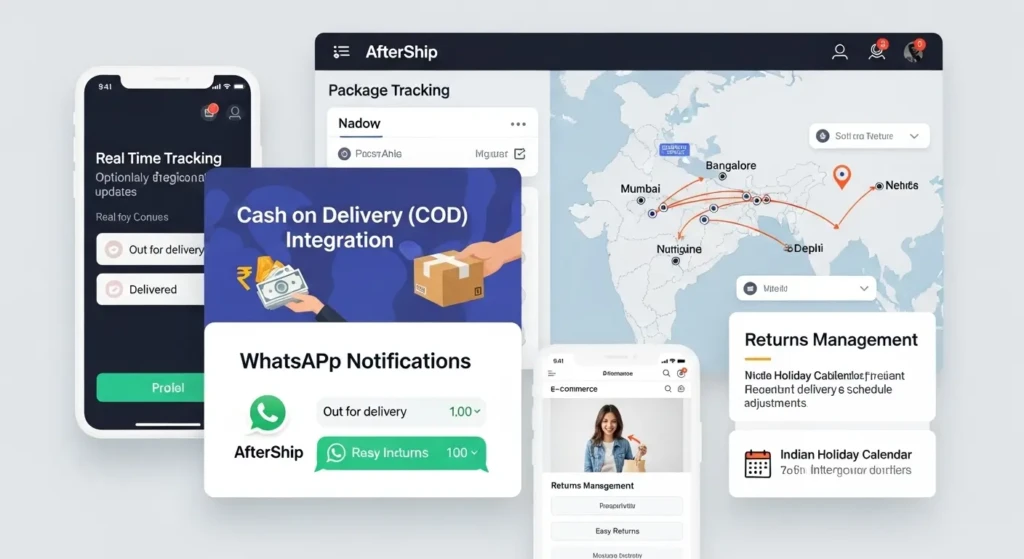
AfterShip offers specialized features tailored for the Indian e-commerce and logistics ecosystem.
Supported Indian Courier Services
AfterShip tracks shipments from all major Indian courier companies:
| Courier Category | Examples |
|---|---|
| Express Services | Blue Dart, FedEx India, DHL India, DTDC Express |
| E-commerce Logistics | Delhivery, Ecom Express, Xpressbees, Shadowfax |
| Regional Carriers | AEPL, Gati, Professional Couriers, Trackon |
| Postal Services | India Post, Speed Post |
| International | DHL Express, FedEx International, UPS, Aramex |
Branded Tracking Pages
Businesses using AfterShip can create customized tracking pages matching their brand identity. These pages display company logos, colors, and messaging while providing tracking information, reducing customer anxiety about shipment status.
Proactive Notifications
AfterShip sends automated notifications via email, SMS, or push notifications at critical shipment milestones:
- Package picked up from sender
- In transit to destination city
- Out for delivery
- Delivery attempted
- Successfully delivered
- Delivery exceptions or delays
Analytics and Insights
The platform provides delivery performance analytics including:
- Average delivery times by carrier and route
- On-time delivery percentage
- Exception rates and common failure reasons
- Carrier performance comparisons
- Geographic delivery patterns
How to Track Shipments on AfterShip
Tracking packages through AfterShip is straightforward for both individual users and businesses.
Individual Tracking
Web-Based Tracking
Visit the AfterShip website and enter your tracking number in the search field. The platform automatically detects the courier and displays current status, transit history, and estimated delivery date. No account registration is required for basic tracking.
Mobile App Tracking
Download the AfterShip mobile application from Google Play Store or Apple App Store. The app allows you to save multiple tracking numbers, receive push notifications, and access tracking history offline. The mobile interface provides a streamlined experience optimized for smartphones.
Email Tracking
Some AfterShip integrations allow tracking by forwarding shipping confirmation emails to a dedicated address. The system extracts tracking numbers and courier information automatically, adding shipments to your tracking dashboard.
Business Integration
E-commerce Platform Integration
AfterShip integrates with major e-commerce platforms including Shopify, WooCommerce, Magento, BigCommerce, and Indian platforms like Shiprocket. Once integrated, orders automatically sync with AfterShip, enabling automatic tracking and customer notifications.
API Integration
Businesses can integrate AfterShip directly into their systems using RESTful APIs. The API allows automated tracking number submission, status retrieval, webhook notifications for status changes, and custom notification workflows.
Shipping Software Integration
AfterShip connects with shipping management platforms like ShipStation, Shippo, and Easyship. These integrations enable seamless tracking for shipments booked through third-party shipping software.
AfterShip Pricing and Plans
AfterShip operates on a freemium model with both free and paid subscription tiers.
| Plan Type | Monthly Tracking Quota | Key Features | Best For |
|---|---|---|---|
| Free | 50 shipments | Basic tracking, email notifications | Individual consumers, small sellers |
| Essentials | 100-500 shipments | Branded tracking page, SMS notifications | Growing businesses |
| Professional | 1,000+ shipments | Advanced analytics, API access, priority support | Established e-commerce stores |
| Enterprise | Unlimited | Custom integrations, dedicated support, SLA | Large retailers, marketplaces |
Indian businesses benefit from localized pricing and support for Indian payment methods. The free tier sufficiently covers needs for individual consumers tracking personal purchases.
Understanding AfterShip Tracking Statuses
AfterShip standardizes tracking statuses across different courier services, translating carrier-specific terminology into consistent categories.
Standard Status Categories
InfoReceived: Shipping label created but package not yet picked up by courier. This initial stage indicates the seller has prepared the shipment.
InTransit: Package is moving through the courier network toward destination. This status encompasses multiple internal movements between hubs and sorting centers.
OutForDelivery: Package loaded on delivery vehicle for final delivery attempt. Delivery typically occurs within the same day once this status appears.
AttemptFail: Delivery attempted but recipient unavailable. Tracking shows reason for failure such as “address incomplete,” “recipient not home,” or “business closed.”
Delivered: Package successfully handed to recipient or designated representative. Includes delivery timestamp and sometimes recipient signature name.
Exception: Problem encountered during transit such as weather delays, customs holds, damaged packaging, or incorrect address. Requires investigation or corrective action.
Expired: Tracking information outdated or shipment exceeded maximum transit time. May indicate lost package requiring carrier investigation.
Pending: Shipment status unclear or awaiting update from courier. Usually temporary condition resolving within 24 hours.
Benefits of Using AfterShip for Indian E-commerce
Indian e-commerce businesses face unique challenges including diverse courier networks, varying delivery reliability, and high customer expectations for transparency. AfterShip addresses these challenges effectively.
Reduced Customer Service Inquiries
Proactive tracking notifications decrease “Where is my order?” inquiries by up to 70%. Customers receive automatic updates eliminating the need to contact support for shipment status.
Improved Customer Experience
Branded tracking pages maintain customer engagement within your brand ecosystem. Professional tracking experiences increase customer confidence and satisfaction, driving repeat purchases.
Carrier Performance Monitoring
Multi-carrier analytics reveal which courier services perform best for specific routes. Businesses can optimize carrier selection based on actual delivery performance rather than pricing alone.
Returns Management
AfterShip tracks reverse logistics shipments, providing visibility into product returns. Understanding return patterns helps identify product issues and streamline refund processes.
Delivery Issue Resolution
Early identification of delivery exceptions enables proactive problem-solving. Businesses can intervene before failed deliveries escalate into customer complaints or refund requests.
AfterShip vs Direct Courier Tracking
Comparing AfterShip with traditional courier website tracking reveals distinct advantages and considerations.
| Aspect | AfterShip | Direct Courier Tracking |
|---|---|---|
| Multiple Carriers | Single dashboard for all carriers | Separate visit to each website |
| Automation | Automated updates and notifications | Manual checking required |
| Standardization | Consistent status terminology | Carrier-specific language |
| Historical Data | Saved tracking history | No long-term storage |
| Analytics | Performance insights across carriers | No comparative analysis |
| Branding | Customizable for businesses | Generic courier branding |
| Cost | Free to paid tiers | Always free |
| Accuracy | Dependent on courier API reliability | Direct from source |
For individual shipments, direct courier tracking may suffice. For businesses managing multiple daily shipments across various carriers, AfterShip’s consolidation and automation provide substantial efficiency gains.
Common AfterShip Tracking Issues
Despite robust functionality, users occasionally encounter tracking challenges.
Tracking Number Not Recognized
AfterShip may fail to identify the courier if tracking numbers use non-standard formats or belong to smaller regional carriers not in the database. Manually select the courier from the dropdown menu when automatic detection fails.
Delayed Status Updates
Tracking information accuracy depends on courier API update frequency. Some carriers update systems every few hours while others provide real-time data. Delays of 6-12 hours between actual events and AfterShip updates are normal.
Missing Courier Support
AfterShip covers 1,100+ carriers but some hyperlocal or new courier services may lack integration. Request carrier addition through AfterShip support if your preferred service is unavailable.
Incorrect Courier Detection
Tracking numbers with similar formats across different carriers may cause misidentification. If tracking shows no results or incorrect information, manually specify the correct courier service.
API Limitations
Some courier companies restrict third-party API access or rate-limit requests. This occasionally causes temporary tracking unavailability, resolved when API access restores.
Setting Up AfterShip for Your Business
Indian e-commerce businesses can implement AfterShip quickly through straightforward setup processes.
Step 1: Account Creation
Register for an AfterShip account using your business email. Select an appropriate plan based on monthly shipment volume. Free trials are available for paid tiers.
Step 2: Platform Integration
Connect your e-commerce platform through AfterShip’s integration marketplace. For Shopify, WooCommerce, or similar platforms, installation takes 5-10 minutes through plugin installation and API key configuration.
Step 3: Courier Configuration
Add courier accounts you regularly use for shipping. Configure preferences for each carrier including notification triggers and branding elements.
Step 4: Notification Customization
Design email and SMS notification templates matching your brand voice. Set trigger points for when customers receive updates and customize messaging for different scenarios.
Step 5: Tracking Page Branding
Customize your branded tracking page with logo, colors, and additional content like product recommendations or promotional messages. This page becomes your customer-facing tracking interface.
Step 6: Testing and Launch
Process test shipments to verify tracking updates flow correctly and notifications trigger appropriately. Adjust settings based on test results before full launch.
Advanced AfterShip Features
Beyond basic tracking, AfterShip offers sophisticated capabilities for enterprise users.
Webhook Notifications
Webhooks push real-time status updates to your systems the moment changes occur. This enables instant inventory updates, automated customer communications, and trigger-based workflows without constant API polling.
Estimated Delivery Date
AfterShip calculates estimated delivery dates using historical carrier performance data, providing more accurate expectations than carrier-provided estimates. This predictive capability helps set realistic customer expectations.
Delivery Guarantee Management
For shipments with delivery guarantees or expedited service, AfterShip monitors whether packages arrive within promised timeframes. This data supports refund claims for failed delivery promises.
Multi-Language Support
Tracking pages and notifications support multiple languages including Hindi, allowing businesses to communicate with customers in their preferred language.
Carbon Emission Tracking
Some AfterShip plans include carbon footprint calculation for shipments, helping environmentally conscious businesses understand and communicate their delivery environmental impact.
AfterShip Mobile Application Features
The AfterShip mobile app provides convenient tracking management for consumers and business users.
Universal Tracking: Add tracking numbers from any supported courier and monitor all shipments in one location. The app automatically refreshes statuses in the background.
Push Notifications: Receive instant alerts when shipment status changes, eliminating the need to manually check tracking. Customize notification preferences by shipment priority.
Barcode Scanning: Scan shipping label barcodes directly with your phone camera to add tracking numbers instantly without manual typing.
Delivery Map: View delivery vehicle location on a map when carriers provide GPS tracking data, offering approximate delivery timing.
Share Tracking: Send tracking information to family members or recipients through messaging apps or email directly from the app.
Data Security and Privacy
AfterShip handles sensitive shipment data requiring robust security measures.
Data Encryption: All data transmission between users and AfterShip servers uses SSL/TLS encryption. Stored data receives encryption at rest protecting against unauthorized access.
Privacy Compliance: AfterShip complies with international data protection regulations including GDPR. Indian users benefit from data residency options and privacy controls.
Access Controls: Business accounts implement role-based access controls, limiting tracking data visibility to authorized personnel only.
Data Retention: AfterShip retains tracking data based on subscription tier, with options for extended storage on enterprise plans. Users can delete tracking information manually.
Integration with Indian Payment and Shipping Solutions
AfterShip’s ecosystem integration extends to India-specific platforms.
Payment Gateway Integration: Connect with Razorpay, PayU, and Instamojo to trigger tracking for cash-on-delivery orders and link payment status with delivery confirmation.
Shiprocket Integration: Seamlessly track shipments booked through Shiprocket, India’s popular multi-carrier shipping platform, consolidating all shipping activity.
Dunzo and Swiggy Integration: For hyperlocal deliveries, AfterShip tracks same-day delivery services popular in Indian metros.
Marketplace Integration: Track orders from Amazon India, Flipkart, and Myntra seller accounts, providing unified visibility across sales channels.
Best Practices for AfterShip Users
Maximize AfterShip’s value through these recommended practices.
Consistent Tracking Number Entry: Add tracking numbers to AfterShip immediately after generating shipping labels. This ensures complete visibility from shipment origin.
Configure Appropriate Notifications: Balance keeping customers informed with avoiding notification fatigue. Essential updates include out for delivery and delivered statuses at minimum.
Monitor Analytics Regularly: Review weekly delivery performance metrics to identify problematic carriers or routes requiring attention or carrier changes.
Maintain Accurate Courier Information: When booking shipments, ensure tracking numbers match the correct courier service to prevent tracking errors.
Use Tags and Notes: Organize shipments with tags for order types, priority levels, or customer segments, enabling filtered tracking views and targeted analysis.
Enable Return Tracking: Configure return shipment tracking with different notification templates, ensuring visibility into reverse logistics performance.
AfterShip Customer Support
AfterShip provides multiple support channels for troubleshooting and assistance.
Help Center: Comprehensive documentation covering setup, integration, troubleshooting, and best practices accessible 24/7.
Email Support: Submit support tickets for technical issues, integration problems, or account questions. Response times vary by subscription tier.
Live Chat: Real-time support during business hours for immediate assistance with urgent tracking issues or technical problems.
API Documentation: Detailed developer documentation for businesses implementing custom integrations, including code examples and API references.
Community Forum: User community where businesses share experiences, integration tips, and solutions to common challenges.
Frequently Asked Questions (FAQs)
1. Does AfterShip work with all Indian courier services?
AfterShip supports all major Indian courier services including Blue Dart, DTDC, Delhivery, Ecom Express, Xpressbees, India Post, and over 100 regional carriers. The platform covers approximately 95% of Indian courier volume. If a specific regional carrier is missing, you can request addition through AfterShip support, though integration depends on carrier API availability.
2. Is AfterShip free to use for personal tracking?
Yes, AfterShip offers a free plan allowing up to 50 shipment trackings per month, suitable for individual consumers tracking personal purchases. The free tier includes basic tracking functionality and email notifications. Premium features like SMS notifications, advanced analytics, and branded tracking pages require paid subscriptions designed for businesses.
3. How accurate is AfterShip tracking compared to checking directly on courier websites?
AfterShip accuracy depends on courier API update frequency and reliability. For most major carriers, AfterShip displays the same information as official websites with minimal delay (typically 15-30 minutes). However, some smaller carriers with less frequent system updates may show delays. AfterShip cannot improve accuracy beyond what courier systems provide but offers the convenience of unified tracking.
4. Can AfterShip send tracking updates in Hindi or other Indian languages?
Yes, AfterShip supports multi-language notifications including Hindi. Businesses can configure tracking pages and notification templates in multiple languages, automatically displaying content based on customer preferences or browser settings. This feature is particularly valuable for Indian e-commerce businesses serving diverse linguistic regions.
5. What happens if a courier company’s website is down? Will AfterShip still track my shipment?
AfterShip maintains cached tracking data from previous successful updates, so you can view last-known status even during courier website downtime. However, new status updates require functional courier APIs. AfterShip typically implements retry logic to fetch updates once courier systems restore. For critical shipments during extended outages, contact the courier directly via phone support for manual status updates.